Not legal advice. Counsely is not a law firm and does not provide legal advice. For an important contract, talk to a licensed lawyer before you sign.
Counsely lets you draft a contract from a template, read its automatic risk analysis and send it for e-signature, all from your iPhone. The signature step runs through your own SignWell account: SignWell emails each signer a link, collects the signatures and gives you the signed PDF.
Send for signature is part of Counsely Pro and works with contracts you create in Counsely.

Pro feature · iPhone and iPad · iOS 18 or later
How to send a contract for signature
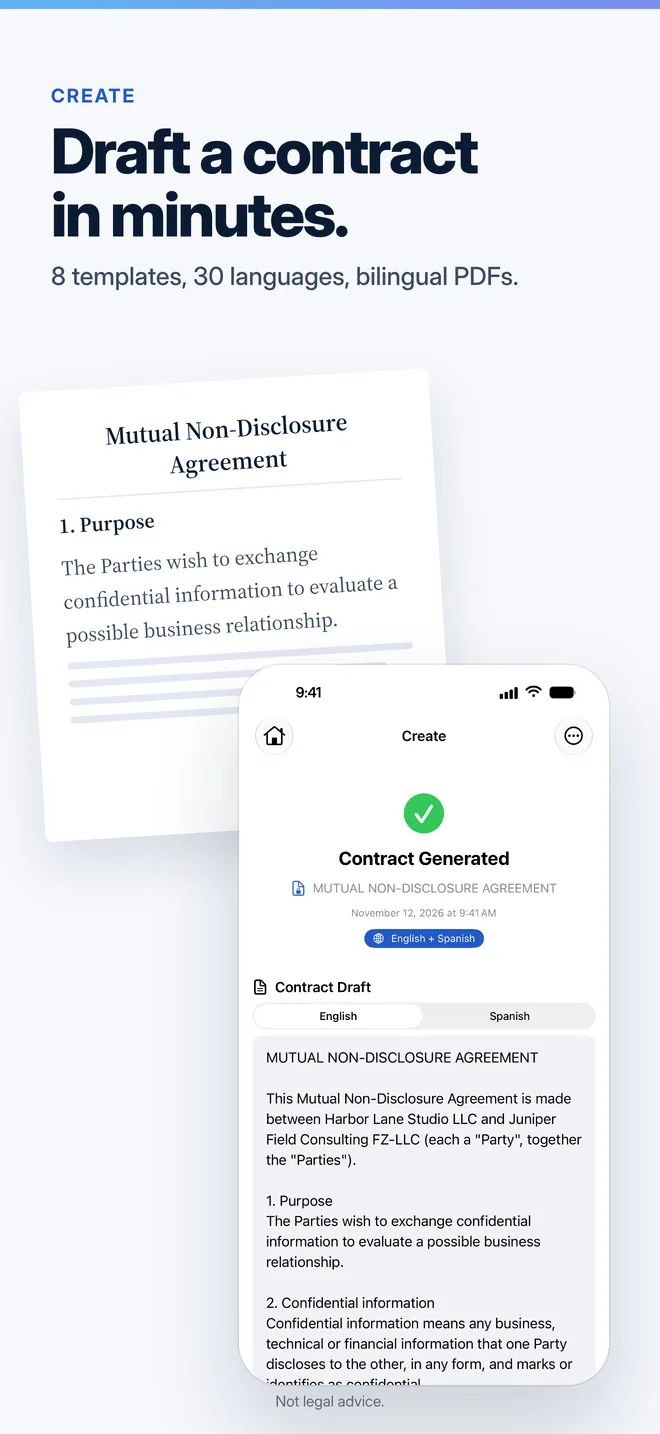
- Create the contract. Pick one of the 8 templates, such as an NDA, a service agreement or a freelance contract, answer the questions and generate the draft.
- Review it. Every contract you create gets an automatic risk analysis, on every plan. Read it before you send anything.
- Connect SignWell once. Create a SignWell account, copy your API key from Settings, then API, in SignWell, and paste it in Counsely. The key stays in this iPhone's Keychain.
- Add the signers. Tap Send for Signature and enter a name and an email for up to 4 signers. SignWell adds a signature page at the end of the PDF.
- Send and follow it. Agree to send the PDF and the signers' names and emails to SignWell. Then follow the status in History and download the signed PDF when everyone has signed.
Follow the status in History
Each contract you send gets a Signatures section in History, with the date it was sent and one of these statuses: Sent, Signed, Declined, Canceled or Expired. Tap Refresh status to check again. When the status is Signed, Download signed PDF saves the final copy.
Why it uses your own SignWell account
Counsely is not an e-signature service. It hands the signature step to SignWell, using an account in your name. That means:
- Your documents and their audit trail stay in your SignWell account, under SignWell's terms.
- Counsely does not charge per signature and does not cap how many contracts you send.
- No Counsely server in between. The PDF goes from your iPhone to SignWell. There is no SignWell sign-in inside Counsely: you paste an API key, and it stays in the Keychain.
SignWell sets its own limits. As of November 2026, its Free plan includes 3 API documents a month; with a card on file, 25 a month are free, then SignWell charges from $0.85 per document. Check SignWell's current pricing before you rely on it.
Which contracts you can send
The Send for Signature button appears on contracts you create in Counsely from its 8 templates: NDA, service agreement, rental or lease agreement, employment agreement, freelance or consulting agreement, sales or purchase agreement, partnership agreement and independent contractor agreement.
Contracts you scanned or imported to review cannot be sent for signature from Counsely. To sign one of those, use the signing service of whoever sent it, or upload the file to SignWell yourself.
Some documents need a qualified signature or a notarial deed, so Counsely never sends them for a simple electronic signature: real-estate transfers or sales, marriage, divorce, adoption or prenuptial agreements, and wills. None of the 8 templates is one of these: the sales template covers goods, and the rental template covers renting, not a transfer of property.
Is an electronic signature enough for my contract?
Often, but not always. Whether an e-signature is valid depends on your country and on the type of document. SignWell says its e-signatures comply with the ESIGN Act, UETA and eIDAS.
In some countries, certain documents need an advanced or qualified signature, such as one based on a government-issued certificate. If a contract is high-value or has formal requirements where you live, ask a lawyer which signature it needs.
Counsely or a dedicated e-signature app?
Adobe Acrobat Sign and Zoho Sign are full e-signature platforms, with signature fields, templates, bulk sending and team accounts. If you mainly sign documents other people send you, or you send many documents a day, one of them may suit you better.
Counsely is for the step before: writing the contract and understanding its risks. If you are a freelancer or a small business that drafts its own agreements, you can create, review and send for signature in one app, then keep the contract and its signature status together in History.
Pricing
Send for signature is included in Pro, at $9.99 per month or $79.99 per year, with 15 contract creations and 30 analyses a month. Credit packs do not unlock it. On the Free plan you can create 1 contract a month and export it as a PDF, without Send for signature. SignWell's own pricing applies separately.
See every plan on the pricing page.
Privacy
When you send, and only after you agree, Counsely shares the contract PDF and the signers' names and emails with SignWell, under SignWell's terms. Your API key stays in this iPhone's Keychain. Your contracts are stored on your device.
Details are in the Privacy Policy.
Related guides
Frequently asked questions
Can I send a contract for signature from my iPhone?
Yes. Create the contract in Counsely, tap Send for Signature, add up to 4 signers and send it through your own SignWell account. Send for signature is part of Pro.
Do I need a SignWell account?
Yes. Counsely uses your own SignWell account and API key. SignWell has a free plan; check its current limits on SignWell's site.
Do the signers need Counsely?
No. SignWell emails each signer a link, and they sign with SignWell.
Can I send a contract I received for signature?
No. Send for signature works with contracts you create in Counsely. Contracts you scan or import can be reviewed but not sent from the app.
How many signers can I add?
Up to 4 signers, each with a name and an email address.
Does Counsely charge for each signature?
No. Counsely does not charge per document or cap your sends. SignWell's own plan limits and fees apply.
Is an electronic signature legally valid?
It depends on your country and on the type of document. Some documents, such as wills or property transfers, need other formalities. This is not legal advice.
Create, review and send your next contract
Written by Caetano Spuldaro Neto, developer of Counsely · Last updated November 9, 2026